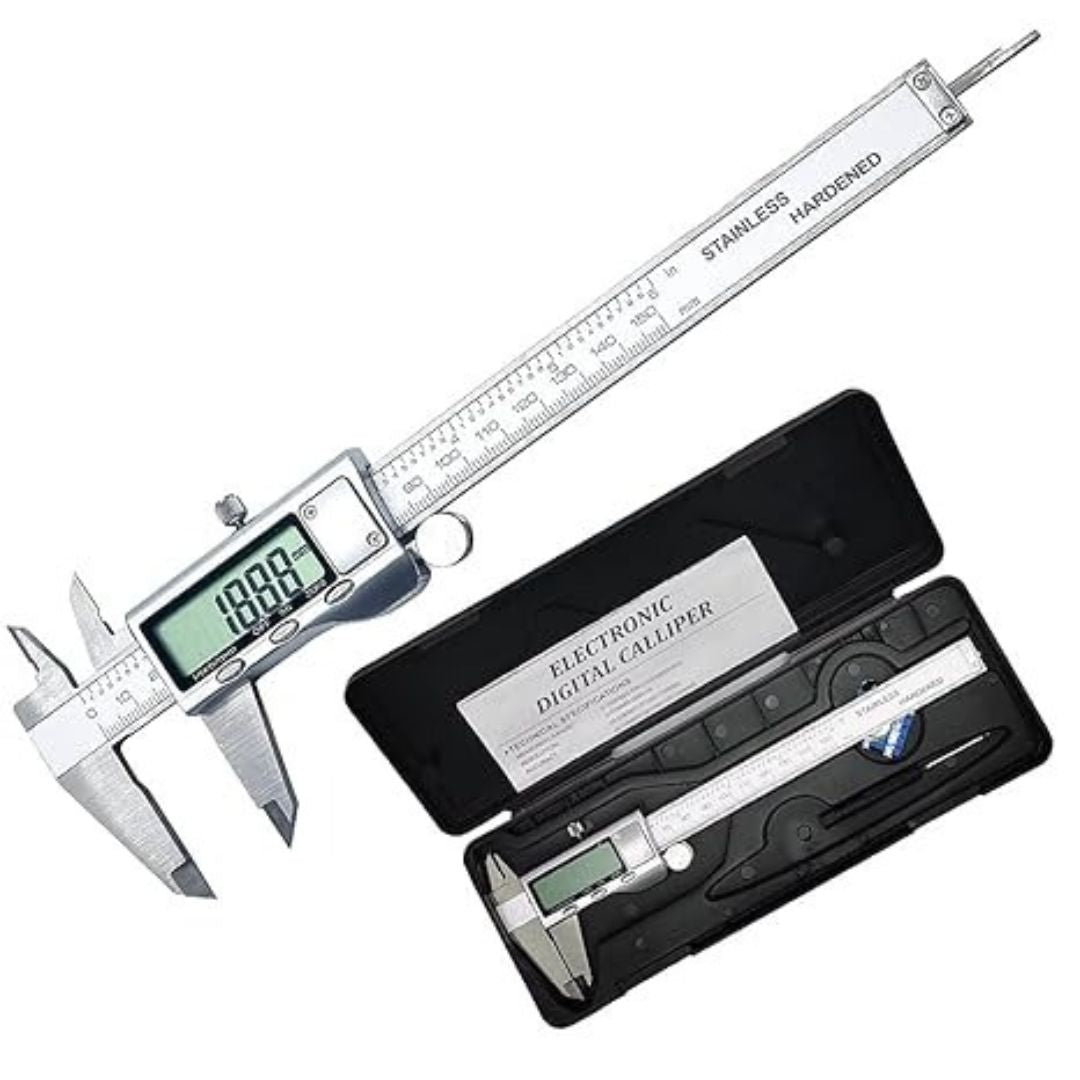
Digital Caliper
Digital Caliper is backordered and will ship as soon as it is back in stock.
Couldn't load pickup availability
Delivery & Payment
Delivery & Payment
We deliver across Kenya. Within Nairobi you can pay on delivery. You can also pay with M-Pesa or card at checkout.
See It in Our Showroom
See It in Our Showroom
Platinum Plaza, 3rd Floor, Shop 306, Tom Mboya Street, opposite Imenti House, Nairobi. Call 0724 950 950 to confirm stock before you visit.
Returns & Exchanges
Returns & Exchanges
Read our returns and exchanges policy, or call 0724 950 950 for help.
Digital Caliper
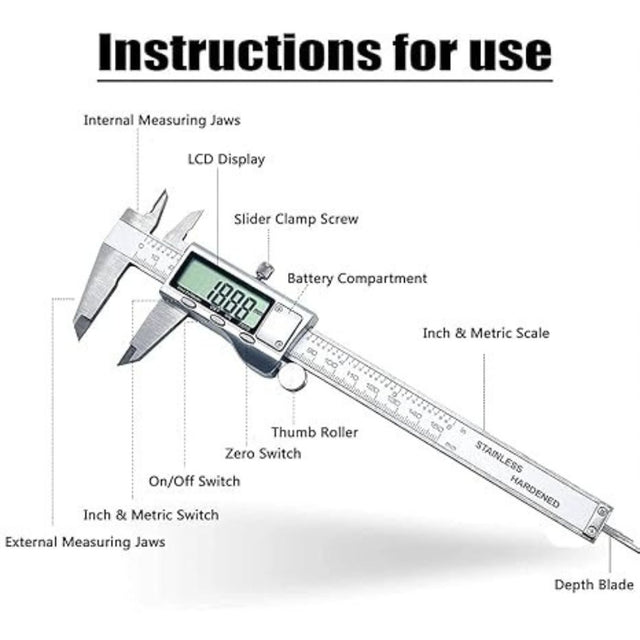
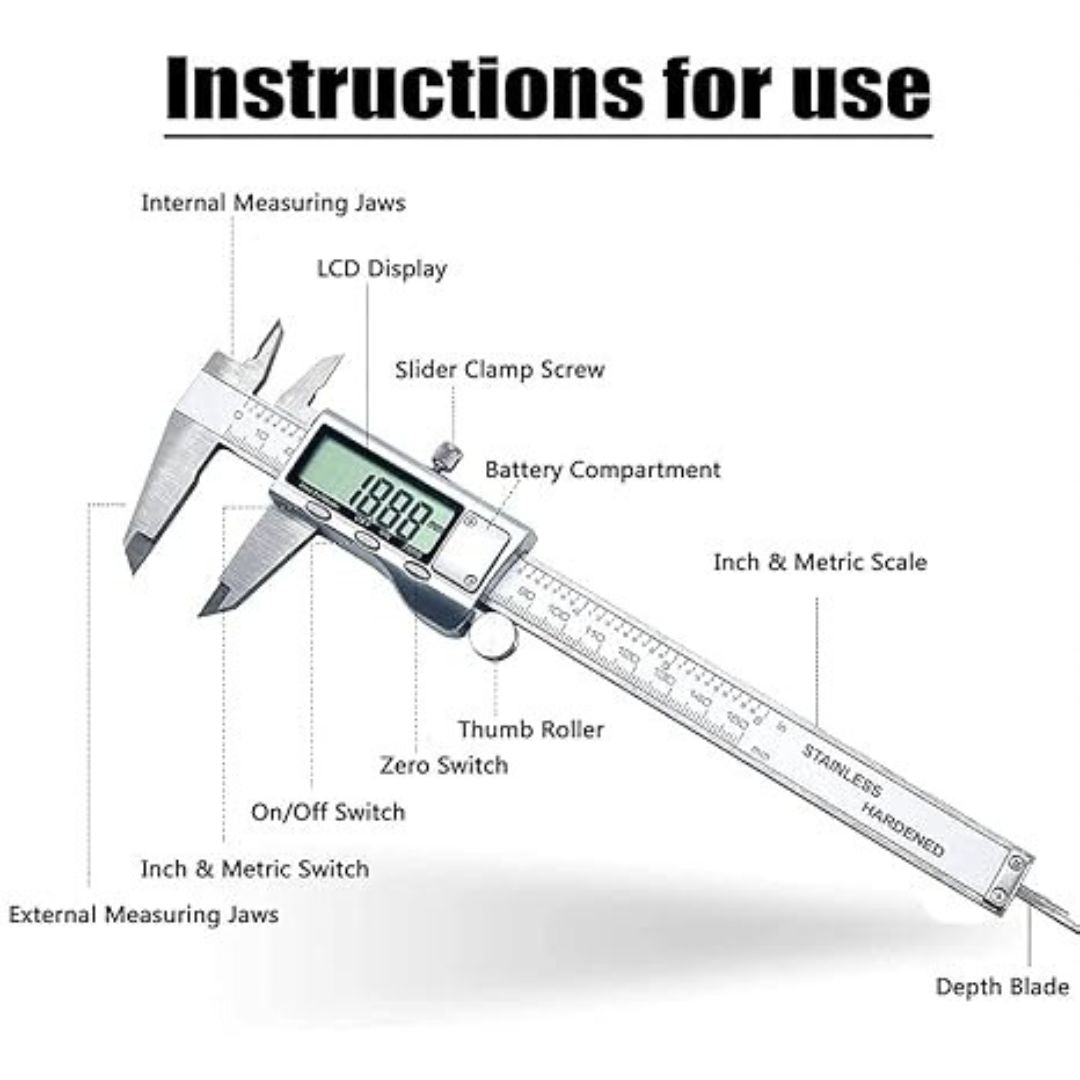
Digital Caliper – Instructions for Use
Parts & Functions
-
Internal Measuring Jaws – Measure the inside dimensions of objects.
-
External Measuring Jaws – Measure the outside dimensions of objects.
-
Depth Blade – Measure depths of holes, slots, and recesses.
-
LCD Display – Shows measurement readings clearly.
-
Slider Clamp Screw – Locks the caliper in place for consistent measurement.
-
Thumb Roller – Smoothly moves the sliding scale for precision.
-
Zero Switch – Resets the reading to zero at any point for comparative measurements.
-
Inch & Metric Switch – Toggles between millimeters and inches.
-
On/Off Switch – Powers the device on and off.
-
Battery Compartment – Houses the caliper’s battery.
-
Inch & Metric Scale – Printed reference scales for manual reading if needed.
How to Use
-
Turn On the caliper using the On/Off switch.
-
Select Unit (mm/inch) with the Inch & Metric Switch.
-
Close Jaws and press the Zero Switch to set a baseline.
-
Measure
-
For outside dimensions, use the external jaws.
-
For inside dimensions, use the internal jaws.
-
For depth, use the depth blade.
-
-
Lock Position with the slider clamp if needed.
-
Read Measurement on the LCD display.
Payment & Security
Payment methods
Your payment is processed securely. We never store your card details.